Your editorial office is where a pile of submissions becomes a process. Nothing else in the journal does that job.
Every submission, in whatever state it arrives
The check, the routing and the unblocking that keeps everything else moving.
A queue that stays current and a record that stays clean
Four moments where the system does the carrying
Each one is work that used to belong to a person, and no longer has to.
A submission lands
One dashboard sorts it already: new submissions to do, anything overdue, everything still in review. Nothing has to be looked for.
Your administrator opens one screen instead of three, and knows the state of the journal in a glance.
The first check
It was validated against your rules before it arrived, so what is left is a look rather than a rebuild. If something is wrong, suspend it and the author is asked to remake the submission.
Compliance work shrinks to the exceptions, which is what a person is for.
Routing it onward
Start review, and it moves to the next person in your chain. Who that is comes from the structure you chose, not from anyone remembering.
Handoffs stop depending on institutional memory, which matters most the week somebody is away.
Keeping it moving
Overdue surfaces late tasks by person. Reviewers who go quiet are re-invited automatically. Proxy lets your office act for any user to unblock them, recorded in that user's name.
One administrator can keep a portfolio moving without chasing anybody personally.
The screen this all happens on
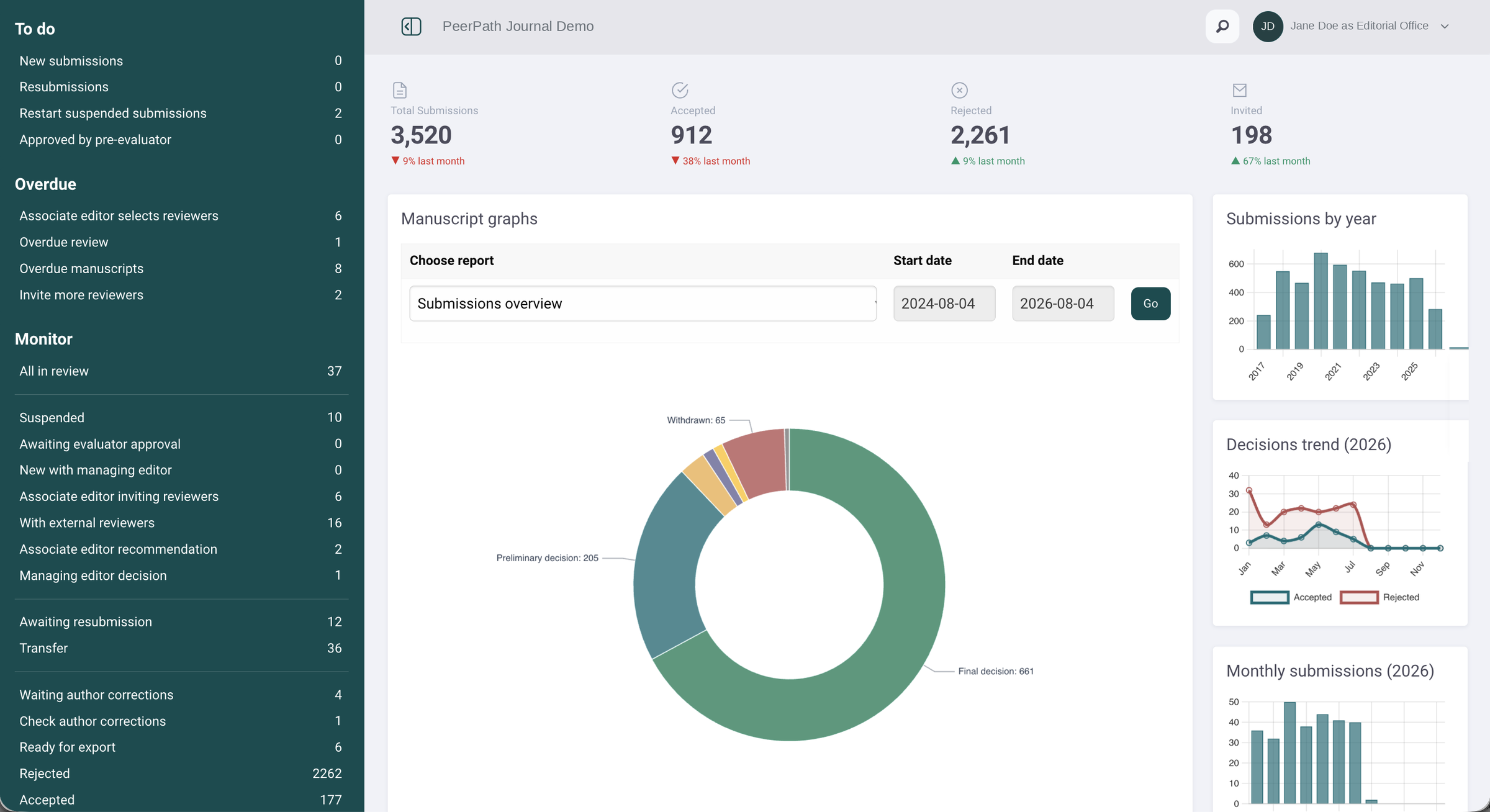
The editorial office dashboard, already captured. To do, Overdue and Monitor in one view.
Ready to run, and yours to adjust
PeerPath ships with every element already in place and working. Setting it up is a set of adjustments rather than a build, and the same adjustments stay open to you long after you have gone live.
Overdue thresholds
How long a task may sit before it is flagged, set per stage
Email templates
Every message, with saved versions, tags and signatures
Flags and notes
Your own labels for whatever your office actually tracks
Invitation defaults
How many reviewers, how often, and whether replacements go automatically
Staff and roles
Add people, set permissions, and rename roles to match your own titles
Proxy
Act for any user to unblock them, with the action recorded in their name
Renaming a role to match what your journal actually calls it sounds trivial. It is the difference between software your staff use and software they work around.
The roles you switch on, and the ones you never need
Four roles exist in every journal. Everything else is activated only if your process asks for it, and your office is who turns them on.
Four more experiences you are responsible for
Tell us what you review.
We will show you the workflow.
Send us a week of your editorial office’s work, including the parts held together with spreadsheets. We will show you how much of it stops being a task.